What Time Does Stranger Things Season
September 17, 2025
Stranger Things Season 5 is almost here and fans all around the world are…

If you’ve ever searched for a movie on Netflix only to discover it’s missing from your account, you’re not imagining things. Netflix shows different content to users depending on their country, which means the library you see isn’t the same as what someone else sees abroad.
For example, a show available in the UK might completely disappear from Netflix US, while Japanese or Canadian libraries often have exclusive titles you can’t access anywhere else. This isn’t a glitch. It’s simply how Netflix’s licensing system works.
The good news is that there are ways to access content from other regions safely and easily. In this guide, you’ll learn why Netflix libraries differ and the most reliable methods to change your Netflix region.
Why Netflix Libraries Are Different in Every Country
Netflix doesn’t own every show or movie on its platform. Instead, it buys streaming rights country by country. For example, The Office is available on Netflix UK but not in the United States. Netflix determines your location using your IP address. Based on that location, it automatically shows you the library licensed for your country.
So if something is missing, it’s not removed; it’s just not licensed where you live.
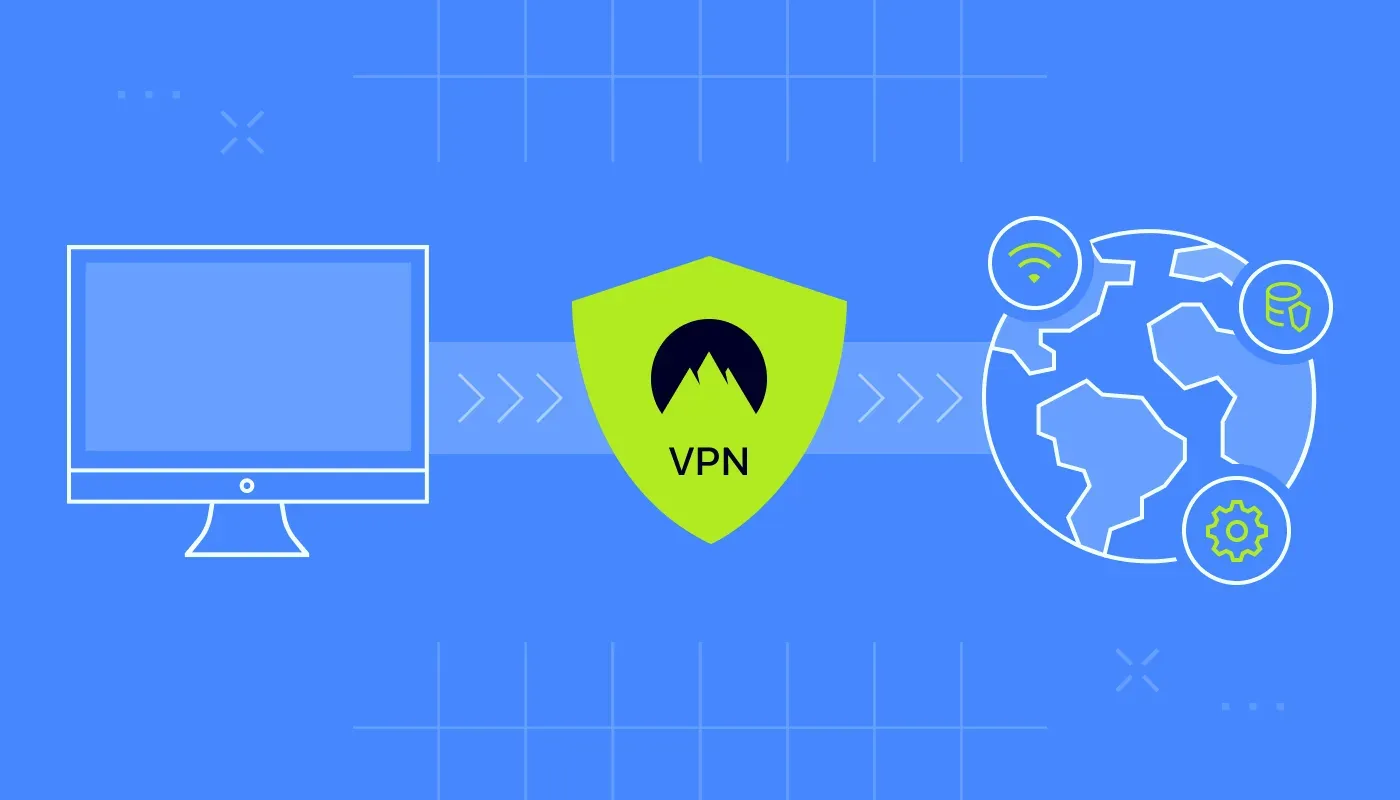
The most reliable method for changing regions on Netflix is using a VPN (Virtual Private Network). It’s been around for years and is easy to use, and it works across multiple devices including Windows, macOS, Android, iOS, and even smart TVs.
VPN masks your real location by routing your internet connection through servers in other countries. Netflix then thinks you’re browsing from that location and shows you that region’s content.
For example, if you connect to a UK server, you will see the UK Netflix library. Similarly if you connect to Japan, you unlock Japanese exclusives. It works in seconds.
Let’s learn how to change your region on Netflix using a VPN.
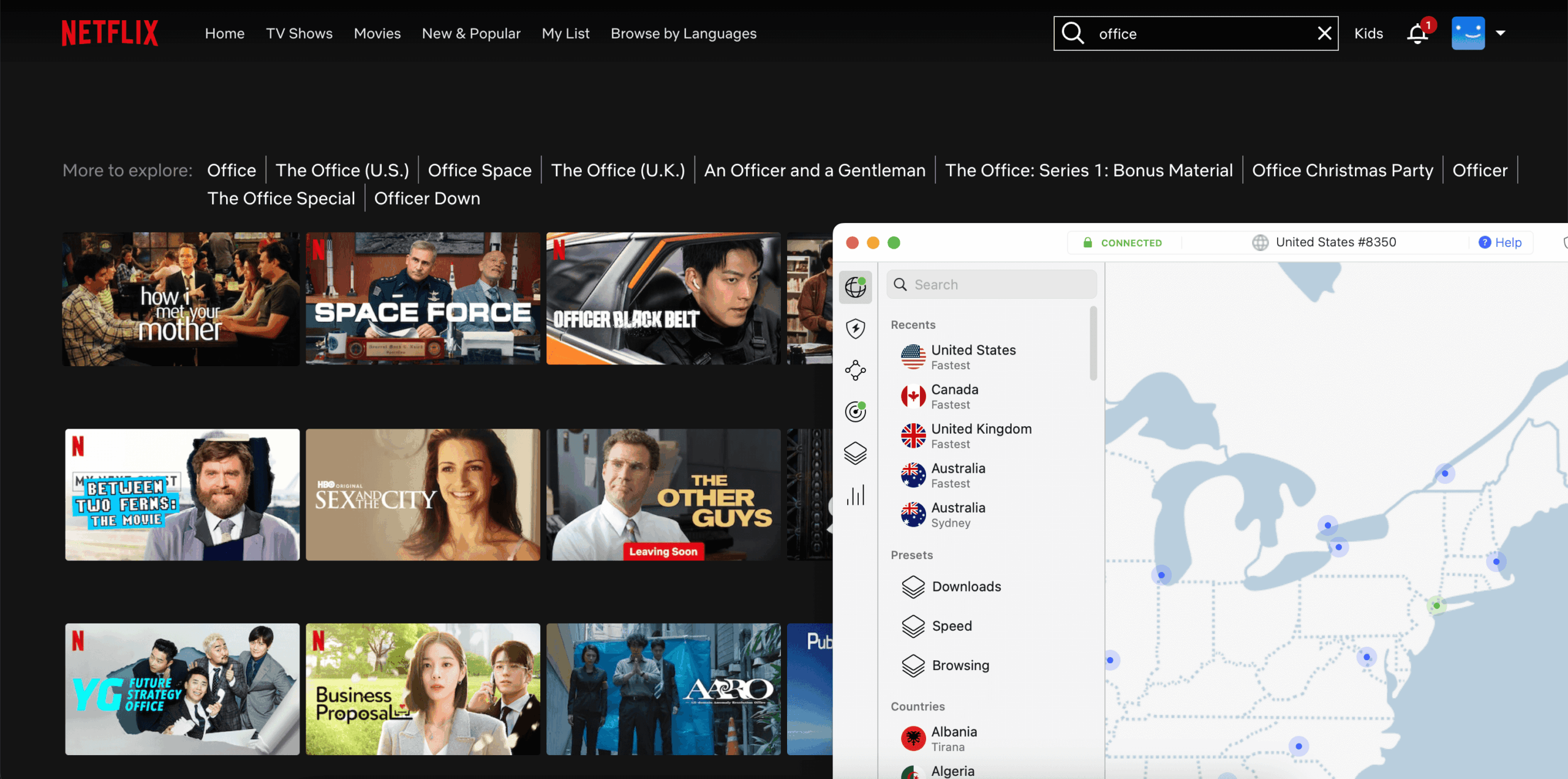
For example, connect to a UK server and you’ll instantly be able to watch ‘The Office’.
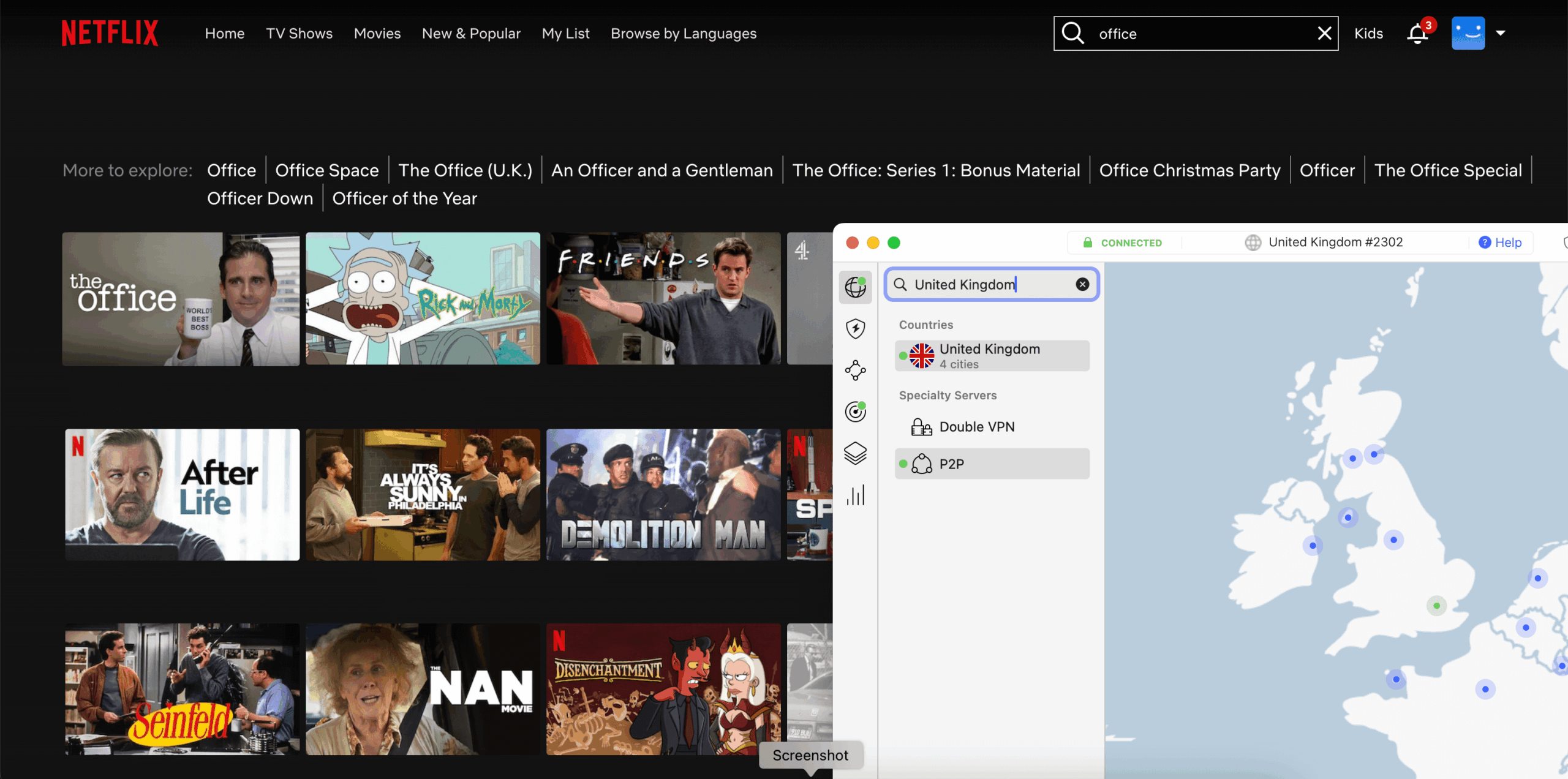
And just like that, you can enjoy Netflix from anywhere. If it doesn’t change, clear your cache or reconnect to another server.
Paid VPNs are faster and more reliable, but if you’re on a budget, you can still try free ones. Keep in mind, free services have limitations like slower speeds, fewer servers, or data caps:
Proton VPN: This is a completely free VPN service that you can use for a lifetime. It allows you to change your region, but the downside is that you can only access five countries, and those are chosen randomly.
UrbanVPN: Another free option that lets you change your virtual location. However, the connection speed can be slow at times, which may lead to buffering when streaming Netflix.
Browsec VPN (Chrome Extension): If you are on a PC, this browser plugin is one of the simplest ways to change your location. Just download it from the Chrome Web Store. After installing, switch it on to connect through a different region.
Netflix operates in almost 190 countries, but no single region has everything. Many of the most-watched series are exclusive to Netflix US, while hidden gems live only in European or Asian libraries. A VPN not only lets you change your Netflix region but also:
NordVPN is an affordable service with plans starting from as low as 5$. There are also additional perks like threat protection and up to 1 TB cloud storage in higher-tier plans.
If you’re not ready to commit to a VPN, there are other tools but they’re less reliable:
The availability of movies and TV shows on Netflix varies based on your region. But you don’t need to travel abroad to enjoy different libraries. With a reliable VPN, you can securely change your Netflix region, stream shows from around the world, and even protect your online privacy at the same time.
Is It Legal and Safe to Change Your Netflix Region?
Using a VPN is legal in most countries. However, Netflix’s terms discourage bypassing region restrictions. In practice, Netflix rarely bans accounts. Instead, you may see a proxy error until you switch servers.
For safety: avoid sketchy free VPNs, use reputable providers and don’t share accounts publicly.
Tips for Better Streaming Performance
If Netflix buffers or doesn’t change regions:
These small fixes usually solve most problems.
Here are some quick answers to common questions about changing Netflix regions:
1. Why can’t I find certain shows on Netflix?
Because Netflix buys licenses region by region. What’s available in one country may not be licensed in another.
2. Do free VPNs really work for Netflix?
There are some free VPNs, but they are often slow and limited to a few countries.
3. Will Netflix ban my account if I use a VPN?
Netflix’s terms discourage using proxies or VPNs, but an account ban is rare. You’re more likely to see a “proxy error” until you reconnect to a working server.
4. Which countries have the best Netflix libraries?
The United States, Canada, and Japan are known for having the largest collections of shows and movies.
5. Is Smart DNS better than VPN for Netflix?
Smart DNS is faster but doesn’t provide the security and privacy of a VPN. For most users, VPN is the safer all-in-one solution.
6. Can I use a VPN on my smart TV?
Yes. Either install a compatible VPN app or set the VPN at the router level.
7. Does changing regions affect my account or subscription?
No. Your plan and billing stay the same.
8. Can I download shows while connected to another region?
Yes, downloads will come from that region’s library.

I’m the writer behind Fandom Watch, where I share news, guides, and fan theories about shows, anime, and the wider world of pop culture. My goal is to make fandom fun and accessible for everyone, whether you’re a casual viewer or a die-hard fan.







September 17, 2025

August 27, 2025

August 24, 2025

August 24, 2025